
Short answer: if you want an AirBrush alternative on iPhone, FaceMend covers the same everyday retouching (skin, blemishes, eyes, lips) and adds two things that help with group shots and quick fixes: editing one face in a group photo without touching the others, and typing what you want changed. Free saves have no watermark, and there are no ads, no credits and no account.
We make FaceMend (on the App Store as FaceMend: Selfie & Face Editor). Below is what each app's App Store page lists as of October 2026.
Who FaceMend suits
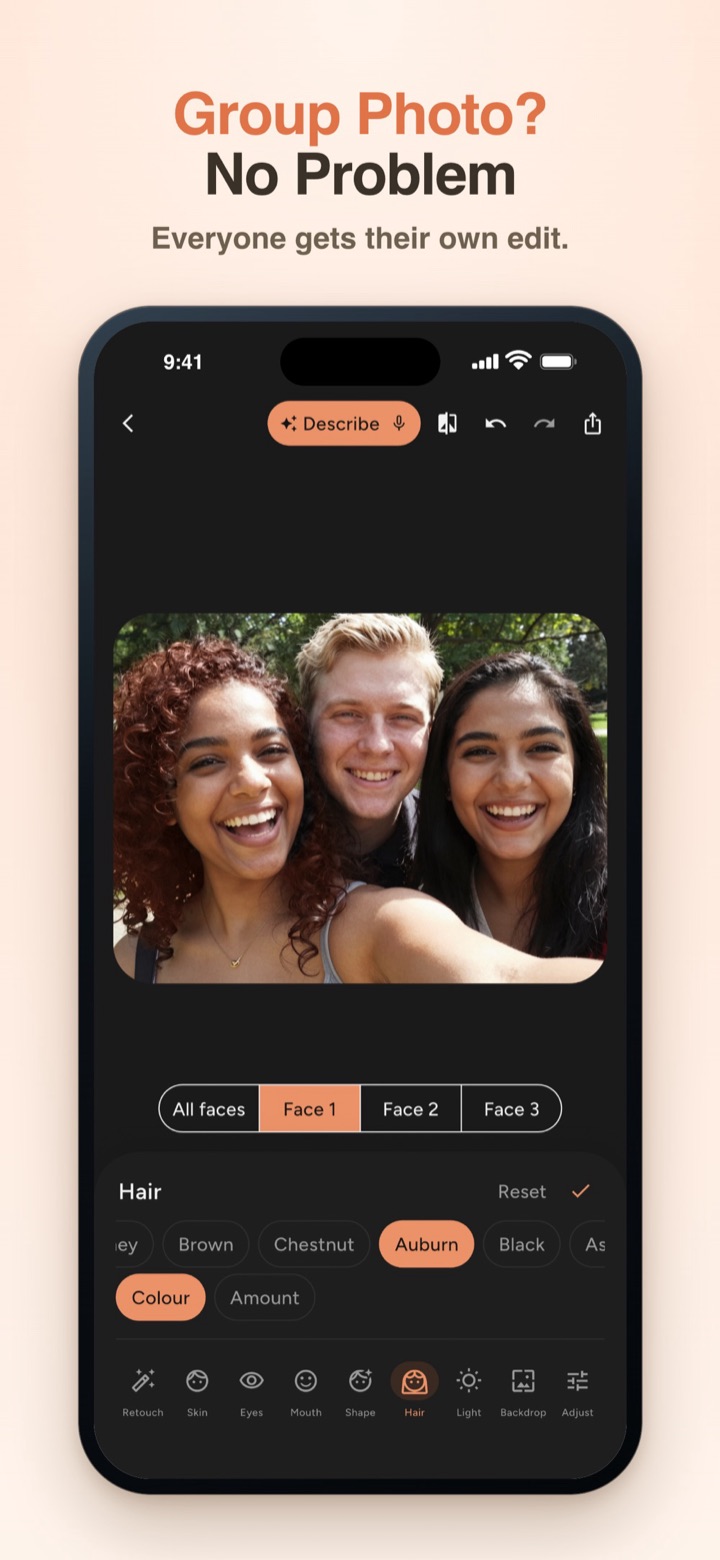
- You edit group photos and only one person wants a touch-up, or everyone wants a different hair or eye colour.
- You'd rather say "less shine" than look for the right slider.
- You want a light, natural result and to see it on your own photo before paying for anything.
If you're after fun AI effects such as changing expressions or seeing yourself in different styles, AirBrush lists those and FaceMend doesn't make them, so AirBrush fits that better.
Side by side
AirBrush column: what its App Store page lists as of October 2026. "Not listed" means the page doesn't mention it, not that the app can't do it.
| FaceMend | AirBrush | |
|---|---|---|
| Blemish removal, smooth skin | Yes, comes with the app | Listed |
| Soften wrinkles | Pro, reduces rather than erases by default | Listed |
| Highlighter | Pro, with contour | Listed |
| Face reshape | Pro: face slim, jaw, chin, nose, eye size | Listed |
| Eye colour | Green and Blue come with the app, more with Pro | Listed |
| Red-eye fix, dark circles | Pro | Listed |
| Teeth whitening | Pro, only the teeth | Listed |
| Makeup | Pro: blush, eyeshadow, eyeliner, brow tint, lashes, one-tap Looks | Listed |
| Hair colour | Pro | Listed |
| Blur or swap the background | Pro, 16 studio backdrops or your own photo | Listed |
| Remove objects | Pro (Eraser) | Listed (Eraser, Stamp) |
| Enhance a low-res photo | Pro | Listed (AI Repair) |
| Video face retouch | Pro: smooth skin, whiten teeth, reduce dark circles | Listed |
| Work or dating profile photo | Pro (Profile photo mode) | Listed (Pro Headshots) |
| Change expressions, try styles | No | Listed (Mood Swapper, Style Explorer) |
| Edit one face in a group photo | Pro, up to 4 faces, each with its own colours | Not listed |
| Type or say what to change | Pro, preview free | Not listed |
| Siri and Shortcuts | Yes, English phrases | Not listed |
| Watermark on free saves | None | Not listed |
| Ads | None | Not listed |
| Account needed | No | Not listed |
| Requires | iOS 17 or later, iPhone and iPad | iOS 13 or later (App Store page) |
Sources: the FaceMend features we verified in the app, and AirBrush's App Store page (apps.apple.com/us/app/id998411110), read on October 26, 2026.
How to edit one face in a group photo in FaceMend
- Open the group photo. FaceMend finds up to 4 faces.
- Tap the face you want to edit. The face tools now change only that person.
- Smooth skin, heal a spot or brighten the eyes for that face. Everyone else stays as they were.
- Tap another face to give that person their own edit, for example a different hair colour or lip shade.
- Save. The Standard save goes up to 1920 px, with no watermark.
Per-face editing is a Pro tool, but you can try it first. Every Pro tool previews live on your own photo, a small PRO ribbon shows on the preview while a Pro edit is on, and the paywall only opens when you save. "Save without Pro edits" keeps the free part of your work.
What FaceMend can't do
- No expression changes, AI styles or generated headshots. FaceMend edits the photo you have.
- No hairstyle changes and no body slimming. Legs and height are the only body tool.
- It doesn't restore old or damaged photos.
- Some tools download a pack the first time you use them. The Eraser pack is about 100 MB.
- Siri phrases are English only.
- iPhone and iPad only, iOS 17 or later.
- Not for passport, visa or ID photos.
Questions people ask
Is there an AirBrush alternative with no watermark? FaceMend saves without a watermark, including the free Standard save.
How do I edit just one person in a group photo on iPhone? In FaceMend, tap that person's face first. The face tools then change only them, up to 4 faces per photo (Pro).
Can I give each person a different hair or eye colour? Yes. Hair, eye and lip colour keep their own values for each person.
Can I describe the edit instead of using sliders? Yes. Type or say something like "warmer, softer skin" in Describe the fix, and FaceMend sets the sliders as a preview you can undo.
Do I need an account? No sign-up, no credits.
Try it on the group photo you actually want to post. You'll see the result before you decide anything.