
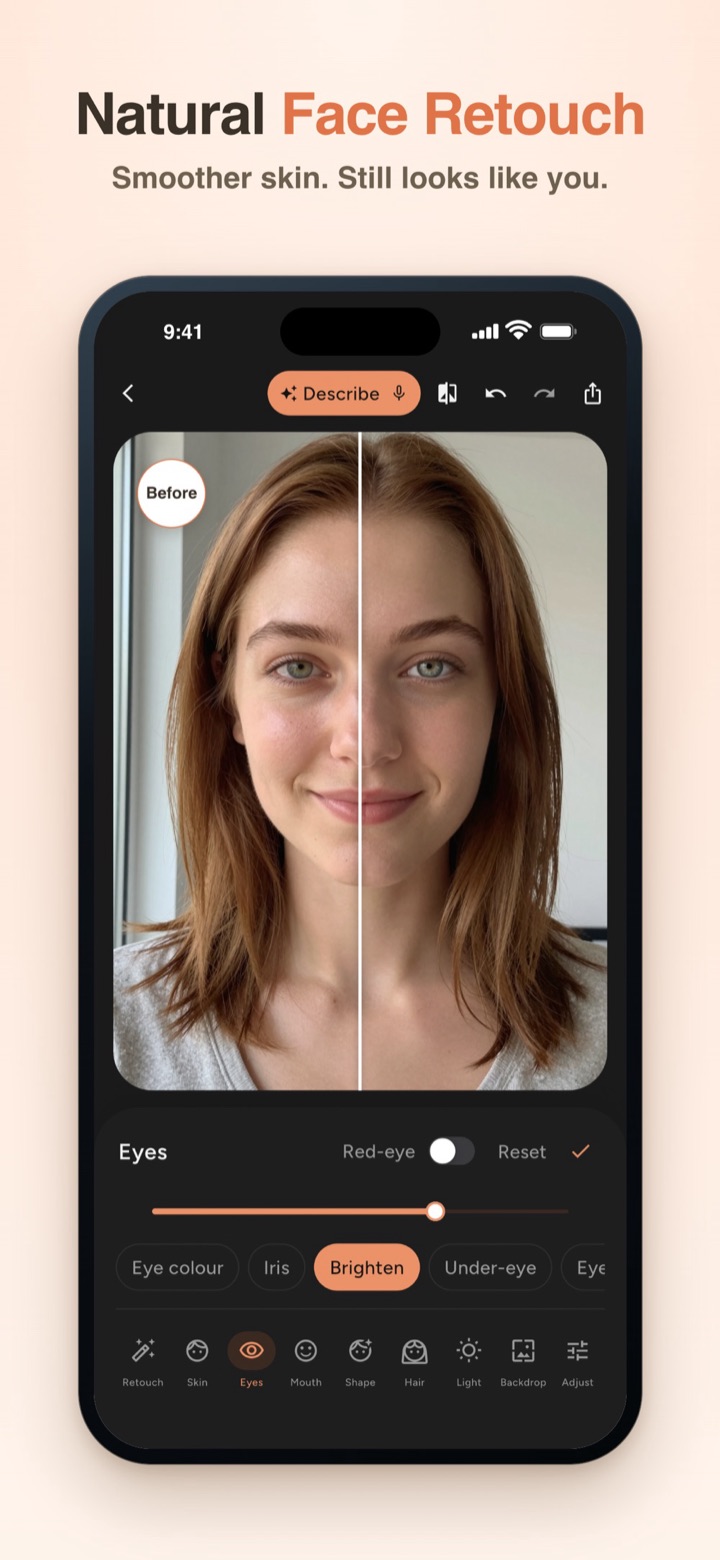
Short answer: FaceMend is free to download, and the everyday retouch tools are free. There's no watermark, no ads, no credits and no account. Pro adds the bigger edits, and you can preview every Pro tool on your own photo before paying.
We make FaceMend (on the App Store as FaceMend: Selfie & Face Editor). This page lists what's free and what Pro adds in version 1.1 on iPhone and iPad, as of October 2026.
What's free
| Tool | Free |
|---|---|
| Smooth skin | Yes, with a texture slider and a brush to add or remove areas |
| Blemishes and spots | Tap to heal, patch skin; tap each circled spot to remove it |
| Teeth | Whiten teeth (only the teeth, lips stay as they are) |
| Eyes | Brighten the whites, reduce dark circles, 3 natural eye colours |
| Lips | 3 lip colours |
| Face shape | Face slim, jaw, chin, nose, eye size |
| Filters and crop | Yes |
| Before and after | A split image or a short wipe video to share |
| Export | Standard, up to 1920 px |
| Watermark, ads, credits | None |
What Pro adds
| Tool | Pro |
|---|---|
| Remove all spots | One tap for every spot FaceMend circles |
| More colour | More eye and lip shades, iris size, each eye on its own, lip finishes (Sheer, Satin, Matte, Gloss), hair colour |
| Red-eye fix | Yes |
| Makeup | Blush, eyeshadow, eyeliner, brow tint |
| Wrinkles | Softens lines; reduces rather than erases by default |
| Shape details | Eyes, lips and brows; longer legs on a full-length photo |
| Backdrop | Blur, remove or swap the background (16 studio backdrops) |
| Profile photo mode | Work and dating presets |
| Group photos | Edit one face at a time, up to 4 faces |
| Eraser | Remove people or objects |
| Enhance | Sharpen and upscale low-resolution photos |
| Light and skin | Relight, skin tan and glow, liquify, details |
| Describe the fix | Type or say what to change; FaceMend sets the sliders |
| Video retouch | Smooth skin, whiten teeth, reduce dark circles in a video |
| Export | HD |
Try Pro before you pay
Every Pro tool previews live on your own photo. A PRO ribbon shows while a Pro edit is on. If you decide not to buy, "Save without Pro edits" keeps the free part of your work. You see the result first and pay only if it's worth it to you.
What Pro costs
Read from App Store Connect on October 18, 2026. US prices are the base. Prices vary by country, so the App Store shows the price for your region.
| Option | US price | Type |
|---|---|---|
| Weekly | $1.99 | Subscription |
| Monthly | $2.99 | Subscription |
| Yearly | $9.99 | Subscription |
| Lifetime | $19.99 | One-time purchase |
The subscriptions start with a one-week free trial for new subscribers, and renew until you cancel in your Apple ID settings. Lifetime is paid once and doesn't renew. If you edit photos now and then, Lifetime avoids a running subscription.
How it compares with other free face editors
Free face and selfie editors usually earn money in one of a few ways: a watermark on free saves, ads, credits for each edit, or a subscription. FaceMend keeps the free tools free of watermarks, ads and credits, and offers both subscriptions and a one-time Lifetime option for Pro. The App Store page lists every in-app purchase for any app, so you can check before you download.
What it can't do
- No hairstyle changes and no body slimming. Legs and height are the only body tool.
- It doesn't restore old or damaged photos.
- Some tools download a pack the first time you use them: the Eraser pack is about 100 MB.
- Video retouch has a length and resolution limit that depends on your iPhone; the app shows it.
- iPhone and iPad only, iOS 17 or later.
Quick answers
- Is FaceMend free? Yes. Skin smoothing, blemish removal, teeth whitening, eye brightening and face shape are free.
- Does it add a watermark? No.
- Is there a one-time option? Yes, Lifetime at $19.99 in the US.
- Do I need an account? No.
Start with the free retouch tools on a photo you care about. If you want the backdrop or makeup too, preview them first and decide then.