
Some people have slept next to the same fan for years. Then they spend a night in a hotel, at a friend's place, or the fan breaks, and the room is suddenly too quiet. A white noise app gets close, but a generic fan sound isn't your fan. The pitch is different, the hum is different, and you notice it.
The fix is simple. Record the fan you already know and play it back on a loop. This guide shows how to do that on an iPhone so the recording sounds steady and doesn't jump every time it repeats.
We make Calm Loop, a sleep sounds app, so the steps below use it. Recording your own sound is free in the app.
Why a plain recording isn't enough
You can record your fan with any recorder on the phone. The trouble starts when you want to hear it all night. Most recorders play a file once and stop, so you wake up to silence after a few minutes. Players that do repeat a file often leave a small gap or a click where the end meets the start, and once you hear that click, you keep waiting for it.
What you want is a recording that loops cleanly, keeps playing with the screen off, and stops on its own when you want it to.
Before you record
A few minutes of preparation makes a big difference in how the loop sounds.
- Pick a quiet moment. Late evening works well, when traffic and neighbours are calmer. Every car or door in the recording comes back each time the loop repeats.
- Put the phone about a metre from the fan. Too close and the microphone picks up the air hitting it. Lay the phone on a shelf or a table instead of holding it.
- Use the setting you sleep with. If the fan runs on low at night, record it on low.
- Keep the room quiet. No talking and no TV in the next room, and turn off notification sounds for a few minutes.
How to record and loop your fan in Calm Loop
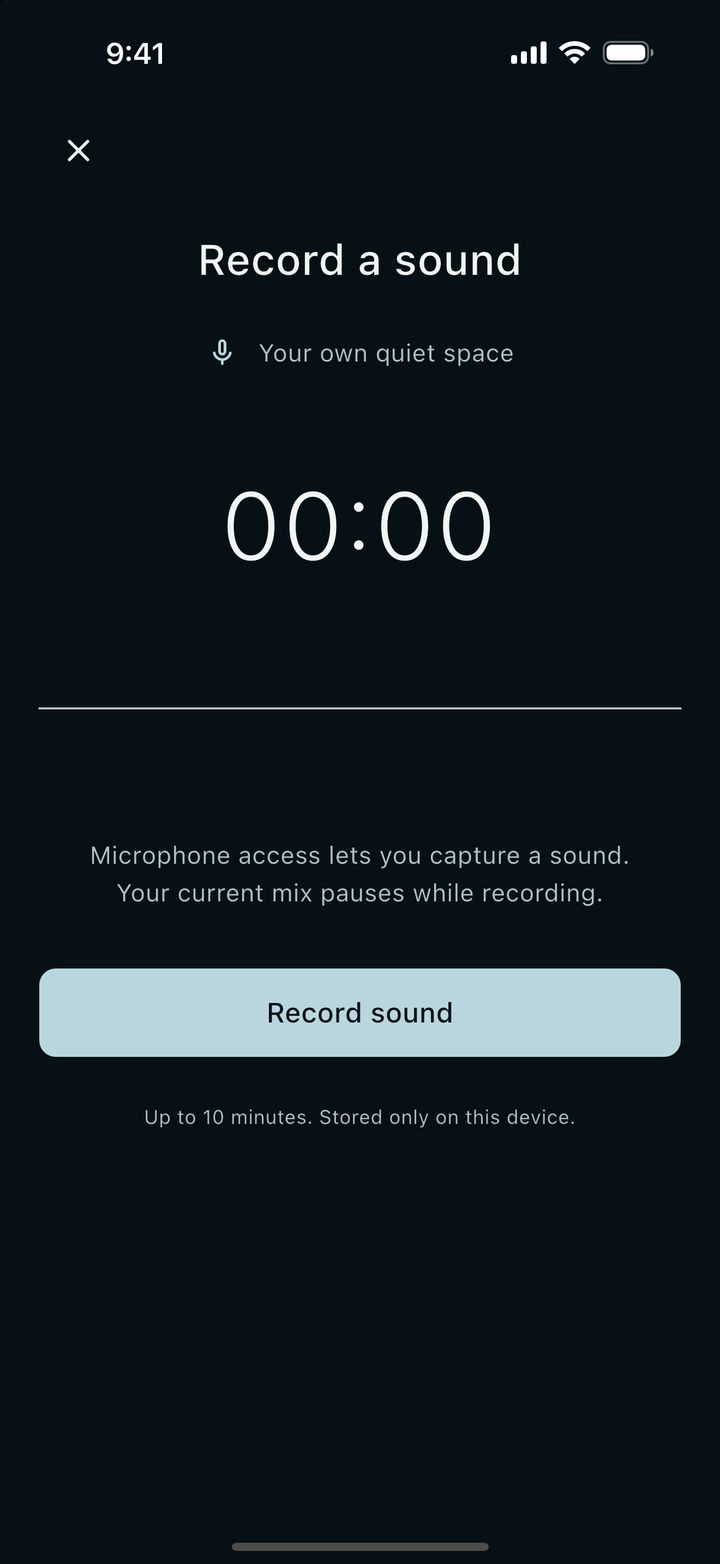
- Open Calm Loop and go to Record a sound. Tap Record sound. The first time, your iPhone asks for microphone access. If a mix is already playing in the app, it pauses while you record.
- Let it run for a few minutes. A recording can be up to 10 minutes long. Two or three minutes of steady fan is usually plenty, since the app repeats it anyway.
- Trim the start and the end. The first and last seconds often carry the sound of your finger on the screen or your steps walking away. Cut them so only the fan is left.
- Play it. Calm Loop loops the recording with a crossfade, so the end blends into the start instead of cutting off.
The recording is stored only on that device.
Mix it with another sound
Your fan doesn't have to play alone. The mixer takes two sounds, each with its own volume, plus a master volume. You could put your fan under a quiet rain sound, or add a little brown noise under the hum if the recording sounds thin.
When a mix feels right, save it with a name. A saved mix keeps both sounds, their levels and, if you want, a sleep timer, so the next night it's one tap.
Set a timer, or let it play all night
Calm Loop keeps playing with the screen off, and you can pause or play it from the lock screen. If you only want the fan while you fall asleep, set the sleep timer to 15, 30, 45, 60, 90 or 120 minutes, or pick a custom time. The timer fades the sound out over 3, 15 or 30 seconds, so it doesn't stop with a sudden click.
Everything plays offline, which helps on a plane or in a hotel with bad wifi.
Taking your fan on the road
This is where the recording earns its place. Hotel rooms, guest rooms and night trains all sound different from home, and a familiar hum makes a strange room feel a bit more like yours. If the phone speaker is too thin for the room, a small speaker helps, and headphones work if you share the room with someone.
What to know before you start
- Calm Loop is for iPhone and iPad only, and the app is in English.
- A recording can be up to 10 minutes long. It stays on the device you recorded it on, so on a new phone you record it again.
- The phone's microphone hears the whole room, not just the fan. A noisy room makes a noisy loop, so a quiet moment matters more than anything else here.
- The mixer plays two sounds at a time, not more.
- Recording, mixing, saved mixes, the timer and three of the built-in sounds are free. The other 43 sounds and the bedtime stories come with Calm Loop Pro, a one-time unlock with no subscription, and every Pro sound has a 30-second preview.
If you've slept next to the same fan for years, ten quiet minutes with your phone is enough to bring it along.