
Grandparents don't want another scarf. They want the drawing your kid made last Tuesday, the one with the purple dog, in a form that won't get lost in a drawer.
A card made from that drawing is the easiest gift of the season. The child is proud of it, and it ends up on someone else's fridge for once. Here's how to make one on your iPhone and print it or send it.
We make Fridge Door, an app for kids' drawings, so that's what the steps use.
Before you start: get the drawing into the phone
Let the child pick the drawing. Then:
- Paper drawing: open Fridge Door and tap Scan a drawing. Hold the phone flat above the paper, near a window if you can. Daylight beats a ceiling lamp.
- A photo you already took: tap Use a photo of a paper drawing and pick it from your library.
- From the Photos app: open the picture, tap Share and choose Save to Fridge Door.
- Drawn in the app: it's already in My World. Kids can draw with a finger or an Apple Pencil, with brushes, an eraser, undo and stamps.
Everything lands in My World, the app's gallery. With child profiles (part of Premium), each child has their own, so the card from the younger one doesn't end up signed by the older one.
How to make the card, step by step
- Open Prints & gifts from the home screen.
- Choose a card. Posters and little books are in the same place if you want something bigger.
- Pick the drawing from the grid of the child's drawings and pictures.
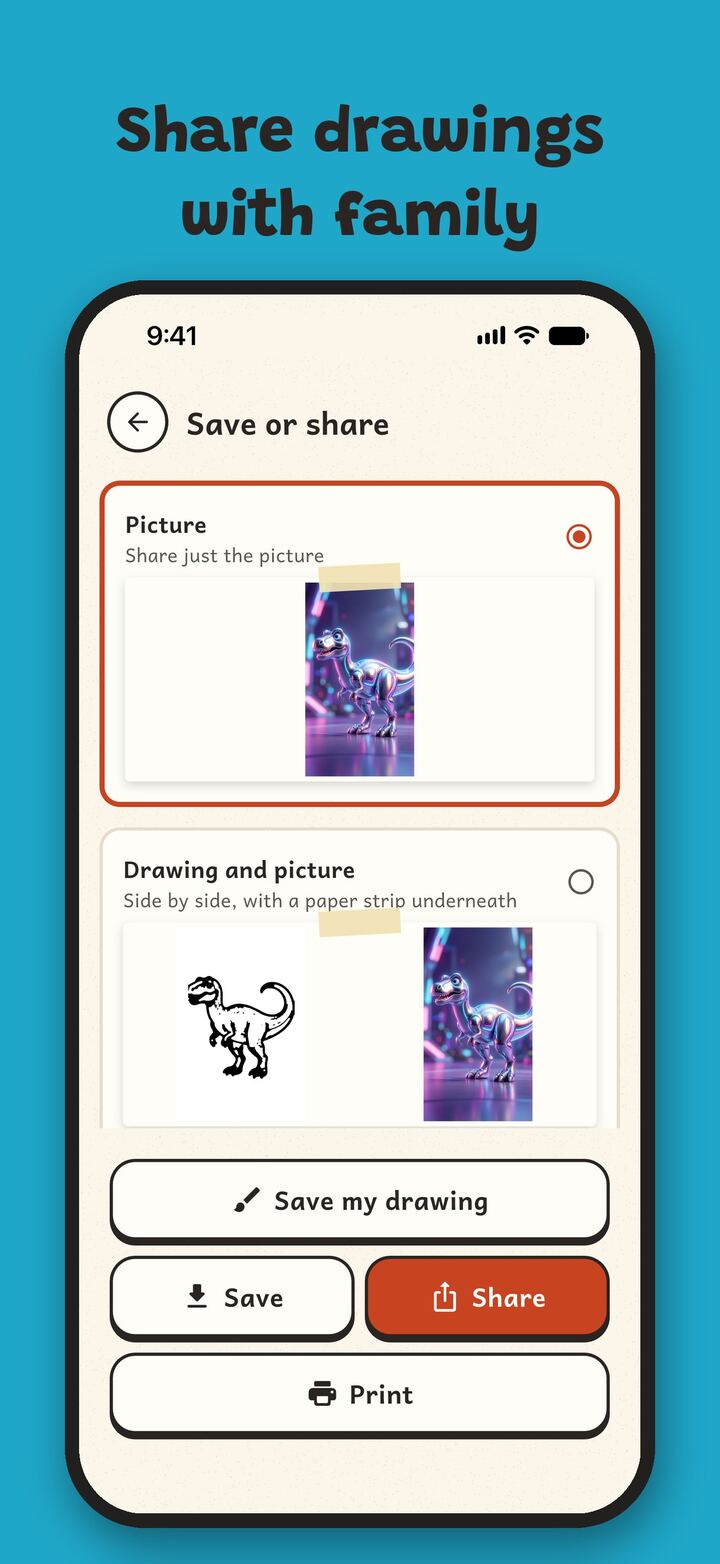
- Print it at home or share it. Printing goes to your own printer. Sharing suits family who live far away.
Cards, posters, books and other print sizes are part of Premium. Printing a single drawing fit to the page comes with the app, which is often enough for a simple folded card: print it, fold the paper, and let the child write the names inside with a pen.
Optional: the drawing next to a storybook picture
Some families like a second version of the drawing on the card. With picture magic, the child says what the drawing shows and picks one of 20 looks, like storybook, watercolor, crayon or comic. The app makes a storybook-style picture from it and keeps the original right beside it. If the first result isn't right, tap Try another look.
When you save or share, you can choose just the picture, or the drawing and the picture side by side with a paper strip underneath. The side-by-side version is the one grandparents tend to keep, because it shows what the child actually drew.
The first 10 magic pictures are free, then it's Premium. Picture magic needs Apple Intelligence, see below. Without it, the plain drawing makes a card that's just as good.
Gift ideas beyond the card
- A poster of one big drawing for a grandparent's kitchen.
- A little book of the year's best drawings. It takes a few minutes if you've been saving them along the way.
- A coloring page made from the child's own drawing, printed for cousins to color during the holiday visit. Three are free, more come with Premium.
What this can't do
- Fridge Door needs iOS 26 or later, on iPhone or iPad. Scanning, the gallery, cards, coloring pages and printing work on every supported device.
- Picture magic needs Apple Intelligence turned on, which means an iPhone 15 Pro or newer, or an Apple Intelligence iPad. On the newest iOS it also needs an internet connection, and Apple sets a daily limit for magic pictures.
- Magic pictures work from drawings, not photos of real people. A photo of grandma won't become a storybook picture. A drawing of grandma is fine.
- Printing is at home. Print quality depends on your printer and paper. Thicker paper makes a better card.
- The app is in English only.
Tips for a card that gets kept
- Scan before the glitter goes on. Glitter and glossy paper reflect light.
- One drawing per card. A busy collage reads less well at card size.
- Let the child write the message by hand after printing. That part shouldn't come from the phone.
Fridge Door has no ads, no accounts and no tracking. Purchases, links and settings sit behind a grown-up check, so a child can pick their drawing and press Print without wandering anywhere else. Premium is a one-time unlock, shared with the family through Family Sharing.
The best holiday card in the house is already on the fridge. It just needs to get to the people who'd love it most.